Jos olet ostanut Microsoft Windows -tuotteen, joka vaatii puhelinaktivointia, haluaisimme antaa sinulle ohjeet siitä, miten toimia.
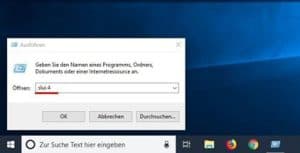
- Press the [Microsoft Windows] + [R] key combination (alternatively, click on the Start symbol, type CMD, and press Enter) and enter the command “slui 4” in the Run dialog.
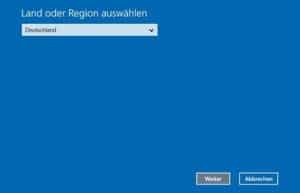
2. A new window will open. Select the appropriate country from the drop-down menu and click on “Next”.
- Näyttöön tulee asennustunnus, jossa on yhdeksän numerolohkoa. Sen yläpuolella on puhelinnumero, johon sinun on soitettava.
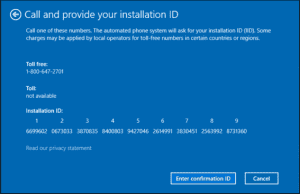
- Jos haluat suorittaa puhelinaktivoinnin itse, tietokoneen ääni neuvoo sinua syöttämään numerolohkot puhelimesi näppäimistön avulla. Tämän jälkeen saat vahvistustunnuksen, jossa on numerolohkot A-H. Merkitse tämä numero muistiin paperille.
- Click on the “Enter Confirmation ID” button and enter the ID you just received.
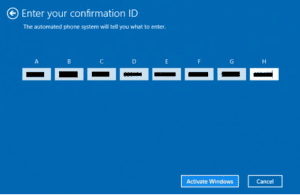
- Complete the activation process by clicking the “Activate Microsoft Windows” button.
- Selvä. Toivotamme sinulle hyviä kokemuksia tuotteestasi.