
Installation guide Microsoft Visio 2019 Professional 32 & 64 Bits
Installation guide Microsoft Office 2019 Professional Plus 32 & 64 Bits
DOWNLOAD
Download the program with the following download link
This EXE file is the basis for the installation of the product.
SYSTEM REQUIREMENTS
Please make sure your computer meets the minimum system requirements for installing this software:
- 1 gigahertz (GHz) or faster 32-bit (x86) or 64-bit (x64) processor
- 1 gigabyte (GB) RAM (32 bit) or 4 GB RAM (64 bit)
- 4 GB of available hard disk space
- DirectX 9 graphics device with WDDM 1.0 or higher driver
INSTALLATION
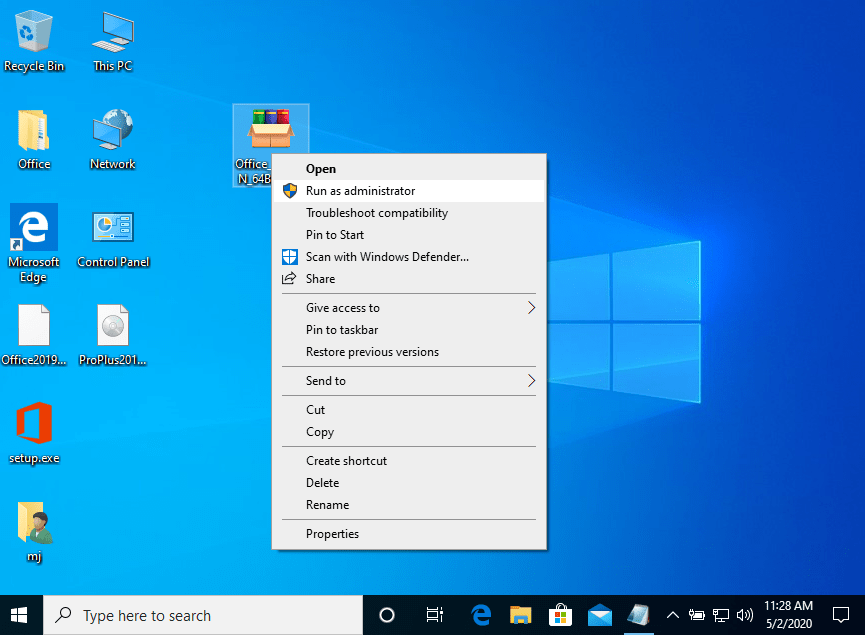
Find the downloaded installer file (it will usually be located in your Downloads folder). Right-click on the file and select “Run as administrator”. You will be asked if you want to let the app make changes to your device. Click on “Yes”.
Important: you need to be online to complete the installation, as the installer will download the needed files directly from Microsoft.
Once the download is complete, follow these steps:
It is recommended that you complete the product installation and activation before signing in with your Microsoft account.
- Right Click on the file and then select the option, “Run as administrator”
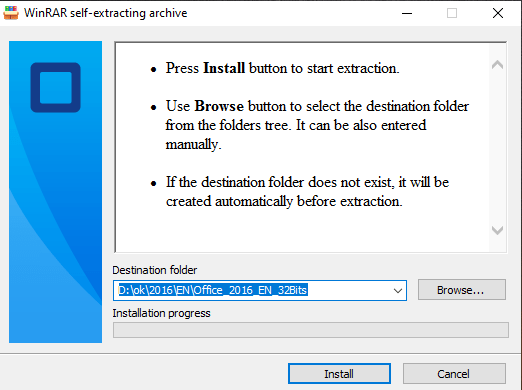
- Click on the “Install” button. This action unzips the application and will install your product.
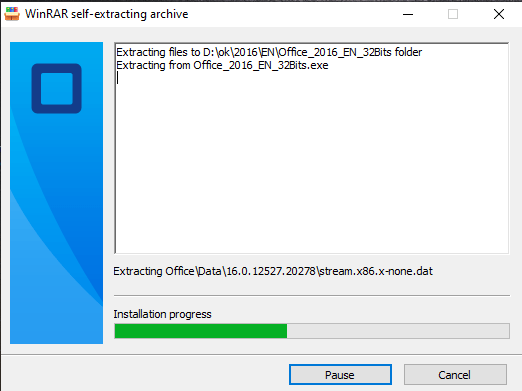
Once the download is complete and the installation of the program is complete, enter the activation key when running any application from the Microsoft Office package, it will be the first thing that will ask you.
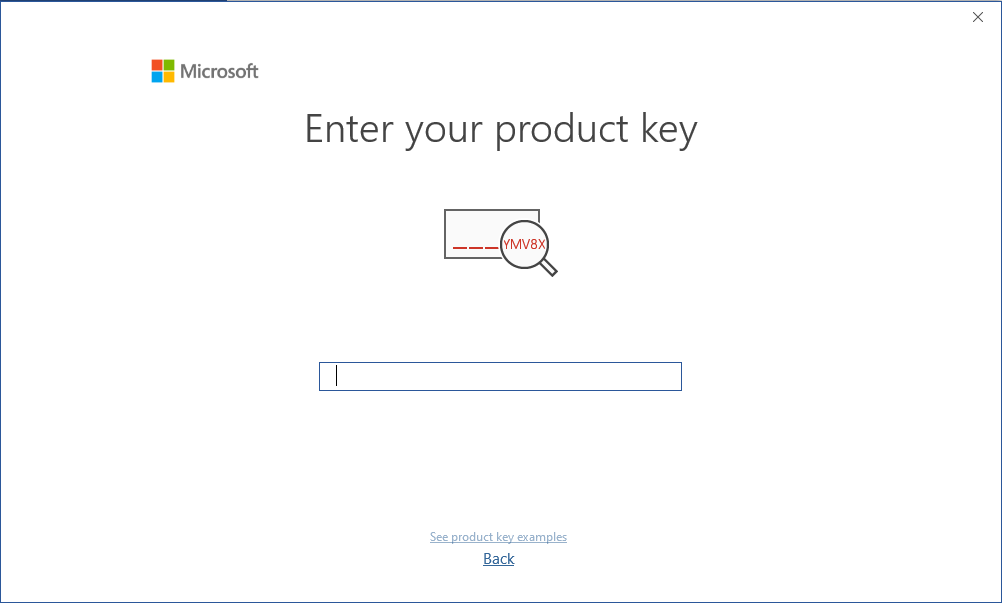
LICENSE AND ACTIVATION
Remember, the key you have purchased is a prepaid code that is not compatible with the pre-installed software. This is an original Microsoft product. Uninstall the previous version of Microsoft Office that you have on your PC and restart your computer. This is important to avoid compatibility problems.
DOWNLOADS IN OTHER LANGUAGES
-
Download the program with the following download link
LANGUAGE 64 BITS 32 BITS DEUTSCH Herunterladen Herunterladen ENGLISH Download Download FRANÇAIS Télécharger Télécharger ITALIANO Scarica Scarica ESPAÑOL Descargar Descargar PORTUGUES Descarga Descarga DUTCH Downloaden Downloaden FINNISH Lataa Lataa NORWEGIAN Last Ned Last Ned SWEDISH Download Download DANISH Download Download
NOTE
Microsoft has gradually phased out support for some older products. Therefore, telephone activation is no longer possible. If you have any problems or questions during the Installation, please contact our 24/7 customer service.
For faster assistance, you can also reach us directly through our live chat, available 24/7 on our website.
Didn't find any solution?
For activations on more devices, please follow the steps in this guide on each device that you want to activate the program.
We wish you a successful installation. If you still have problems or questions about the installation, please contact our customer service at any time. We will help you as soon as possible.